Outlook Training Perth
Outlook CRM (Contact Relationship Managment) training in Perth
Phone: 0418 958 799
Outlook is more than email software.
Hands on Microsoft Outlook email, calendar, tasks and contact management
training Perth for beginners with training software help online.
OUTLOOK TRAINING COURSE OUTLINE:
 Types
of Outlook
Types
of Outlook
- Outlook 2013, your own desktop verson.
- Rent Outlook 365.
- Cloud based Outlook and a quick look at alternatives such as Gmail.
COMPOSING
OUTLOOK EMAILS
- Inserting pictures
- Formatting in html format or plain text.
- Adding pictures
- Stationery
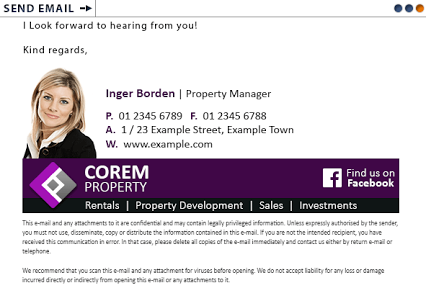
- Signature files in html and plain text
- Creating signture files with Outlook
- Creating signature files with ZippySig,
email signature file generator.
- Fonts and backgrounds
- Insert links http:// and @
- Inserting Hypertext to hyperlinks
- Using existing templates ("Stationary")
- Setting up your own templates
- Reply and Forwarding
- Netiquette and common mistakes by beginners.
- cc and bcc
- long emails
- huge files
- making appointments - email ping-pong
- Windows speed keys. Eg F7 for spell checking
- Send to Outbox
- Send and Receive email Ctrl + M
- Mail Merge from OutLook's unique database field such as <First_Name
> - Unique to each email recipient
- Unique to MS Word
- Calendar invitations via Outlook
- Moving messages
- Organising email by categories
OUTLOOK
CONTACT RELATIONSHIP MANAGEMENT ( CRM ) TRAINING
- Views
- Manually adding to your contact Outlook list
- Adding to Contacts directly from an email.
- Categories and Collapse groups
- Distribution groups
- Selecting email recipients
- Multiple databases
- Sending an email to multiple recipients from your contacts
- Working with OutLook business cards
- Forwarding a V-card
OUTLOOK
CALENDAR TRAINING
- Views Weekly, monthly
- Enter appointments
- Tasks not on the calendar
- Reoccurring events
- Copy public events to The Perth Calendar and the events calendar on Goolge+ Perth
- Personal Outlook Calendar
- Emailing appointments
OUTLOOK
SET-UP
- OutLook.pst file
- Reading Panes
- Your email account set to work with OutLook
- Dealing with spam email - Blocking
- Creating email rules
- Filtering
- Instant automatic email spam deletion
- Outlook email account set-up
- Fonts
- Outlook folders, Groups and Categories.
Virus attachments - Fighting Spam:
- Rules for keywords and phrases (eg viagra, herbalife, nigeria, lose weight, etc for auto deletion)
- Adding to Junk senders list Alt, A, J, J, Del
Filtering spam at your ISP - Spam Arrest All new senders to you must be verified. Something bulk spammers won't stop just for you to do.
- Download Anti-spam software
- How to avoid your email address falling into the hands of spammers.
- Outlook Folder and message management. How to deal with many emails. (eg sorting by date, name, category, etc.)
- Outlook Address book
- Backing up your Outlook pst data and Outlook archive.pst file
- Using Outlook on more than one networked computer
WORKING
WITH OUTLOOK
- Online Help
- Finding text in a long email F4.
- Shortcuts
- How to attach files: Email attachment file size considerations
- Export OutLook to smart phones
-
How to start an Ezine
- Image file size considerations.
- Introduction to image editing with Photoshop
