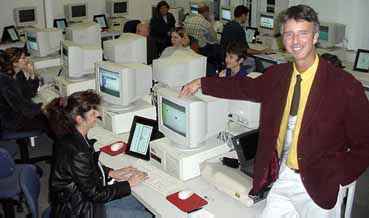
2 hours per week beginners internet training course in Perth is priced
at only $66 per hour per student. Pace and
hours of Perth's best internet training, can be altered for small groups of beginners. Discounts for Non-Profit Organisations, pensioners, students and Groups greater than one person. Free training manuals to keep.
Weekly internet training for beginners are recommended and numbered
below |
TARGET CONTENT |
What is the Internet? Overview
-
World Wide Web. Defined, how to
access it:
-
With your mobile phone
-
With WiFi.
-
High speed internet access
(HSIA) account secure passwords.
-
Email
-
News Groups
-
Relationship between ISPs and
the NBN. NBN problems
Choosing
|
3.
Browsers.
(eg Google's Chrome, MS Internet Explorer or MS Edge, Opera)-
History, How to block spying cookies,
- Help
- Page Title
- Dropdown menu.
- Standard buttons Navigation, home, history, etc.
- Address Line
- Surf’n
- Bookmarks (Favourites)
- Copying text, pictures, pages, etc
- Web based mail.
- Clearing History from c:\windows\temporary internet folder.
- Viewing source code.
- Setting your homepage (not available for TAFE students)
|
4. Web Addresses (Uniform Resource Locators - URL) - (URL wvvw.something.com )
- Types: Country codes , organisations, etc.
- Home pages (index.htm or index.html)
- Sites eg: free music, stock exchange, educational, sport, government, recreational, free software, pictures, web designer resources, etc.
- Web based email
- Online calendars
- Organizing Bookmarks.
- Domain names and Trademarks
|
- Search techniques: Phrasing keywords, Boolean expressions, etc.
- Which SE and when
- Avoiding junk
- Submission of your site to: free and paid express.
|
- eg MS Outlook, Eudora, Communicator
- Composing
- Attachments
- Formatting or Plain text (When and why)
- Inserting a picture
- Setting up an email account
- Stationery "signature" design, setup and automatic insertion
- Address Book
- Organising Outlook folder shortcuts eg inbox, contacts, etc.
|
8. Making money from home with the internet. |
(Not available for my TAFE students at Subiaco ) |
10. Printing formsGraduation / Certificate presentation Creating your own web page. Quick introduction. |